

1
of
14
Loading...
SONOFF SNZB-01M Orb 4-In-1 Zigbee Scene Switch with 16 Scenes
Regular price
€27,95
Unit price
Pickup available at Dynamodz
Usually ready in 2-4 days
Shipping information
Shipping information
Orders placed on weekdays before 4:00 PM and in stock will be shipped the same day . In most cases, your order will be delivered the next day. More details can be found in our shipping policy .

SONOFF SNZB-01M Orb 4-In-1 Zigbee Scene Switch with 16 Scenes
Regular price
€27,95
Unit price

Regular price
€27,95
Unit price
Description
Description
SONOFF Orb 4-In-1 Zigbee Smart Scene Button SNZB-01M
One button, sixteen scenes
One remote control for every scene in your home prevents you from having to open apps for every light change or automation. The SNZB-01M offers four physical buttons, each recognizing single, double, triple, and long presses, resulting in 16 separate triggers from one small device.
Power and connectivity
The device operates on Zigbee 3.0 (IEEE 802.15.4) and also switches to eWeLink-Remote mode for direct pairing without a Zigbee gateway. Power is supplied by a 3V CR2477 battery, which lasts at least 4 years in Zigbee mode under lab conditions, compared to 2 years in eWeLink-Remote mode.
Functionality and settings
- 4 buttons, each with 4 press types: single, double, triple, and long press
- Up to 16 configurable scenes, such as "Movie Night", "Sleep", or "Away from Home"
- Communication range up to 130 meters in open field
- TouchLink for direct pairing with Zigbee lights such as Philips Hue or IKEA
- Samsung SmartThings Hub V3 supports a maximum of 12 out of 16 scenes
Expansion and accessories
For Zigbee use, a Zigbee controller is required, unless you choose eWeLink-Remote mode without a gateway. Also, check out our range of wireless switches for additional home control.
Safety and reliability
Scenes are preserved when switching between Zigbee and eWeLink-Remote mode and are only lost during a factory reset (holding the reset button for 5 seconds) or removal from the eWeLink app. The device is designed for indoor use and offers magnetic, adhesive, and screw mounting without permanent damage to walls.
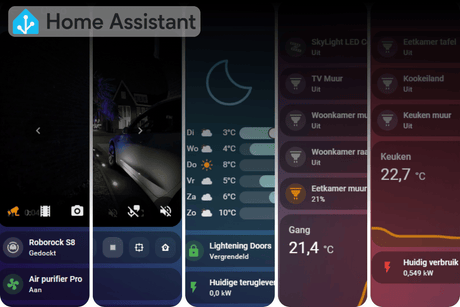
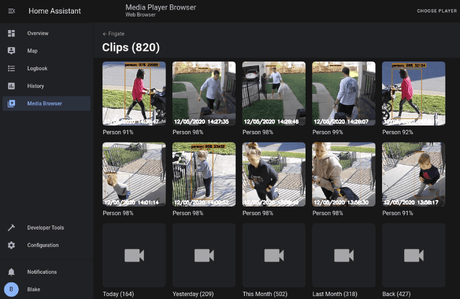
Home Assistant
Integration is done via Zigbee2MQTT or via ZHA with a community script, where the device acts as an EndDevice in the network due to battery power. Pairing is done by holding the reset button for approximately 5 seconds until the LED flashes slowly, after which the device appears in Home Assistant. After pairing, action events per button and press type appear instead of separate switch entities, as scene buttons work on events. Local control without a cloud is confirmed via Zigbee2MQTT and ZHA, although ZHA currently still requires an additional script for full support.
Homey
At the time of writing, there is no known official or community app that supports the Orb 4-In-1 in Homey. For Homey users, this is an important consideration before purchasing.
Other platforms
Via Matter Bridge solutions such as the ZBBridge-U or eWeLink CUBE, the Orb 4-In-1 can be integrated with Apple Home. SmartThings Hub V3 and AeoTec Smart Home Hub V3 are supported, with the aforementioned limitation of a maximum of 12 scenes; NSPanel Pro will receive support from firmware V4.2.0.
Automation examples
- Everyday: single press of button 1 switches on the living room light, double press of button 1 turns off the same light, directly executable as a Zigbee2MQTT or ZHA action trigger
- Advanced: if button 3 registers a long press and the time is between 10:00 PM and 06:00 AM, dim all bedroom lights to 5% and send a confirmation notification to the Home Assistant app
Points of attention
- No official Homey support known at this time
- ZHA integration currently still requires a community script, no native support
- SmartThings Hub V3 supports a maximum of 12 of the 16 scenes
- CR2477 battery is required; battery life heavily depends on usage frequency
Box contents
- 1x SONOFF Orb 4-In-1 button (SNZB-01M)
- 1x square mounting base (Fusion style)
- 2x standard mounting screws for switch plate
- 1x VHB adhesive tape
- 1x CR2477 battery
- 1x installation guide
Compatibility
Compatible with Home Assistant (Zigbee2MQTT, ZHA with script), eWeLink, SmartThings, Apple Home via Matter Bridge, and TouchLink lights such as Philips Hue or IKEA. No confirmed Homey support.
| Model | SNZB-01M |
| Product series | Fusion Series |
| Product type | Zigbee & eWeLink Remote Control Smart Scene Button |
| Protocol | Zigbee 3.0 (IEEE 802.15.4) / eWeLink-Remote |
| Number of buttons | 4 |
| Press types per button | Single, double, triple, long press |
| Maximum number of scenes | 16 (12 with SmartThings Hub V3) |
| Power supply | CR2477 (3V), included |
| Battery life Zigbee mode | ≥ 4 years (lab test, 50 presses/day) |
| Battery life eWeLink-Remote | ≥ 2 years (lab test, 50 presses/day) |
| Communication range | up to 130 m in open field |
| Mounting | Magnetic, adhesive tape, screws |
| Color | White |
| Usage | Indoor only |
| EAN | 6920075743609 |
Frequently asked questions
Do I need a Zigbee hub for the Orb 4-In-1?
For Zigbee mode, a compatible Zigbee controller is required; in eWeLink-Remote mode, the device works without a gateway.
Does the Orb 4-In-1 work with Home Assistant?
Yes, via Zigbee2MQTT with full native support, or via ZHA with an additional community script, after which the device acts as an event-based trigger in Home Assistant.
Is the battery included?
Yes, the included CR2477 battery is already in the device and is ready for use immediately after removing the insulation strip.
Can I expand or customize the Orb 4-In-1?
The button offers up to 16 separate scene triggers through the combination of 4 buttons and 4 press types, and also supports TouchLink for direct pairing with suitable Zigbee lights.
Is the Orb 4-In-1 compatible with Homey?
There is currently no confirmed official or community app that supports this device in Homey, please keep this in mind if you work with Homey.
How do I use the Orb 4-In-1 in practice?
Each button can be set up separately for different actions, for example, switching lights, activating scenes, or controlling devices, depending on the chosen press type.
What are the limitations of this device?
ZHA users still need an extra script for full functionality, and SmartThings Hub V3 users are limited to 12 instead of 16 scenes.
✅ slimhuisje.nl Order the Orb 4-In-1 today and control all your favorite scenes with the push of a button.
Specifications
Specifications
-
Power supply
EAN: 6920075743609
Payment convenience: pay the way you want