

1
of
3
Loading...
Smart Home Server | Intel Amber Lake Y 6500Y – 8GB / 128GB SSD – Home Assistant OS pre-installed
Regular price
€259,95
Unit price
New arrival
Pickup available at Dynamodz
Usually ready in 2-4 days
Shipping information
Shipping information
Orders placed on weekdays before 4:00 PM and in stock will be shipped the same day . In most cases, your order will be delivered the next day. More details can be found in our shipping policy .

Smart Home Server | Intel Amber Lake Y 6500Y – 8GB / 128GB SSD – Ho...
Regular price
€259,95
Unit price

Regular price
€259,95
Unit price
Description
Description
Smart Home Server B20E: Compact, energy-efficient and the local brain for your smart home
Want to move away from separate manufacturer apps, slow cloud servers and devices that don't work together? With the Smart Home Server B20E, you get an extremely compact, quiet and energy-efficient central hub that brings all your smart technology together locally under one roof.
We have already fully installed the Home Assistant Operating System (HAOS) for you. All you need to do is connect the power supply and a network cable. Then open the Home Assistant Companion App or go to homeassistant.local via your browser to get started immediately. An ideal choice for those who want to get started without technical hassle, but are looking for the computing power and expansion options of a full-fledged mini PC.
The benefits of a local Home Assistant Server
- Fully local & privacy-friendly: Your data never leaves your home. You are not tied to mandatory cloud accounts or monthly costs, and all your scenes remain active – even during an internet outage.
- Ready to use out of the box: No hassle with flashing images or creating boot drives. Everything is already set up so you can connect your first devices within minutes.
Why choose the B20E over the Home Assistant Green?
- Smooth Intel computing power: The Intel Amber Lake Y 6500Y (up to 3.4 GHz) processes dashboards, energy charts and multiple add-ons noticeably more smoothly than the ARM processor in the Green.
- Ample memory & fast SSD storage: With 8 GB RAM and a 128 GB M.2 SSD, you have double the memory and four times the storage space. Ideal for extensive energy history, local backups and heavier integrations.
- Standard Bluetooth 5.0 built-in: Connect Bluetooth sensors directly and use presence detection without having to purchase a separate adapter first.
- Four USB ports for all your protocols: Thanks to 2× USB 3.2 and 2× USB 2.0, you can effortlessly connect multiple dongles (such as Thread, Zigbee and Z-Wave) side by side.
- Ultra-thin design with VESA mount: With a height of less than 2.5 cm and the included VESA mounting plate, you can discreetly tuck this server away in the meter cupboard or behind a screen.
Wired stability & low power consumption
For maximum reliability, the B20E features a Gigabit Ethernet connection. Although the hardware includes a WiFi module, we have deliberately disabled it in the BIOS. A fixed network cable prevents connection problems, keeps response times low and also reduces the server's standby power consumption.
Protocols & expansions: ready for the future
- Matter (via network & Thread): The server immediately functions as a full-fledged Matter Controller for all your Matter-over-WiFi/LAN devices. Do you also want to add Matter-over-Thread devices? Then place a Thread Border Router dongle (such as the Home Assistant Connect ZBT-2) in a free USB port.
-
Zigbee: With a Zigbee USB stick, you can connect brands like Philips Hue, IKEA and Aqara directly and without a manufacturer hub via
ZHAorZigbee2MQTT. -
Z-Wave: With a Z-Wave controller, you can add reliable built-in switches and sensors with a large range and S2 encryption via
Z-Wave JS UI. - Extra Bluetooth range: In addition to the built-in Bluetooth 5.0 chip, you can easily extend the range to other floors with Bluetooth Proxies from Shelly (Gen 2+) or Apollo Automation.
- P1 Energy Meter: Connect a P1 meter to your smart meter to measure your consumption and feed-in live and directly control solar power or dynamic tariffs.
Expandable to a local Energy Management System (EMS)
The Smart Home Server B20E is much more than a switch for your lighting. Although the system does not function as an energy manager out-of-the-box, thanks to the ample hardware specifications, it forms the ideal basis to build your own powerful, local Energy Management System (EMS).
Via the built-in Home Assistant Marketplace and available integrations, you can easily install specialized EMS add-ons (such as OmniBattery, EMHASS or EVCC) and connect your smart meter, solar panel inverter, charging station, heat pump and home battery (such as Marstek, Zendure, HomeWizard, Victron, SolarEdge or Huawei) in one environment. This allows you to automatically charge your home battery at low or negative hourly prices after configuration, limit feed-in costs and control high-consumption devices with solar power, without fixed EMS subscriptions.
Apple HomeKit Bridge & connection with your existing platforms
Do you use Apple HomeKit? With the built-in HomeKit Bridge, you can make all your non-HomeKit devices (such as Zigbee sensors, Z-Wave modules, Roborock vacuums or smart plugs) immediately visible and controllable in the Apple Home app and via Siri. In addition, you can also effortlessly connect Google Home, Amazon Alexa and Samsung SmartThings to your server.
Already own a Homey? Use this server as a powerful engine in the background. Let Homey do what it is good at for daily operation, while Home Assistant takes care of heavy data processing, energy management and specialized local connections.
Examples of smart automations
- Smart energy management (after connecting your integrations): As soon as the dynamic electricity price drops below a set amount or your solar panels are feeding back, your home battery automatically starts charging and the boiler switches on.
- Safety & protection: Does a smoke or carbon monoxide detector detect danger? Then Home Assistant immediately switches all lights in the house to 100% brightness, opens the electric roller shutters and sends a critical notification to all family members.
Starting with Home Assistant for the first time? Then check out our comprehensive Home Assistant startup guide, where we take you step by step through the initial installation and settings.
Technical specifications
| Brand & Model | B20E Mini PC |
| Processor | Intel Amber Lake Y 6500Y | 2 cores / 4 threads (up to 3.4 GHz) |
| Memory & Storage | 8 GB LPDDR3 RAM | 128 GB M.2 SSD (expandable) |
| Network connection | Gigabit RJ45 Ethernet (WiFi disabled in BIOS) |
| Wireless & Protocols | Bluetooth 5.0 & Matter (LAN/WiFi) built-in | Thread, Zigbee & Z-Wave via USB dongle |
| USB ports | 2× USB 3.2 Gen 1 + 2× USB 2.0 |
| Display outputs | 1× HDMI 1.4 (up to 4K@30Hz) + 1× VGA |
| Other connections | TF card reader, 3.5 mm audio jack, DC power supply |
| Dimensions & Weight | 120.5 × 120.5 × 24.5 mm | 246 grams |
| Housing | Black (ultracompact 0.25L size) |
| Software | Home Assistant Operating System (HAOS) pre-installed |
| Included accessories | VESA mounting bracket with screws and HDMI cable |
What is in the box?
- 1× B20E Mini PC (equipped with Home Assistant OS)
- 1× Power adapter
- 1× VESA bracket including screw set
- 1× HDMI cable
- 1× Manual / quick start information
Frequently asked questions (FAQ)
Can I manage with this server without programming knowledge?
Certainly. Because Home Assistant OS is already installed, you go through a clear installation wizard in your browser or app after connecting. Most devices are automatically recognized in your network.
Does this server support Matter and Apple HomeKit?
Yes! You use the server directly as a Matter Controller for Matter devices in your network (and with a USB dongle also for Matter-over-Thread). In addition, Home Assistant works as an Apple HomeKit Bridge, allowing you to also get devices without official HomeKit support in the Apple Home app.
Does this server work directly as an EMS for my home battery?
Not standard out-of-the-box: you set this up yourself with the help of the right integrations and add-ons from the Home Assistant Marketplace (such as OmniBattery, EMHASS or EVCC, in combination with your brand-specific integrations). Thanks to the 8 GB RAM and 128 GB SSD, this server does offer ample computing power and storage to reliably run such a local EMS.
What is the difference with the Home Assistant Green?
The B20E features an Intel processor, twice as much memory (8 GB), four times as much storage space (128 GB SSD), built-in Bluetooth 5.0 and twice as many USB ports. This gives you much more room to grow for heavier tasks such as energy management and extensive dashboards.
Are Thread, Zigbee and Z-Wave built-in by default?
Matter over your local network works out of the box. For Thread, Zigbee and Z-Wave, you simply connect a separate USB dongle to one of the four USB ports.
Why is WiFi disabled?
For a smart home server, a wired connection is many times more stable and faster than WiFi. By disabling the WiFi chip in the BIOS, the mini PC consumes less power and you prevent wireless interference.
Will everything keep working if my internet goes out?
Yes. All local devices, sensors and automations run completely independently on the server in your own network. Only for updates, cloud services and remote operation is an active internet connection required.
✅ slimhuisje.nl | Delivered directly from stock, personal advice and everything in-house for a powerful and local smart home.
Specifications
Specifications
-
Smart home controller
-
Power supply
EAN:
Payment convenience: pay the way you want
This product has no reviews of its own. The merchant grouped it with related products, so the reviews shown are from across that group.
s
Prima en snelle levering , alleen voor die prijs 20,- meer als bij de concurrenten, had ik wel een ophangbeugel erbij verwacht.
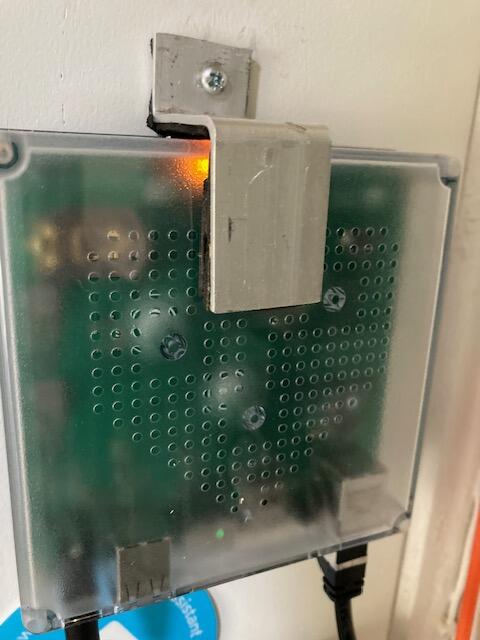
Hoi, bedankt voor je review! Fijn dat de levering snel was. We begrijpen dat het prijsverschil tegenvalt. Door de beperkte beschikbaarheid en hogere RAM-prijzen liggen de prijzen momenteel hoger. Een ophangbeugel wordt helaas niet standaard meegeleverd.
P
Steile Lernkurve, nicht immer alles intuitif. Es gibt viele grosse und kleine Projekte, die Einbindung ist nicht immer einfach. Aber für Bastler und Programmierer, die gerne alles selbst machen wollen: ideal
Hallo Patrick, vielen Dank für Ihre differenzierte Bewertung! Home Assistant Green bietet viel Raum für eigene Projekte, auch wenn der Einstieg und manche Einbindungen anspruchsvoll sein können. Schön, dass es für Bastler und Programmierer genau das Richtige ist!
p
Werkt prima

Hoi Pieter, bedankt voor je mooie beoordeling! Fijn om te horen dat alles goed werkt. We staan altijd klaar voor vragen, hulp of advies. Neem gerust contact met ons op als je nog iets nodig hebt!
S
Slim klein computertje die dankzij al zijn koppelingen bijna alles al ziet. Tip: we hebben een Apple TV 4K 2e generatie en via deze apparaat heeft Home Assistant nu ook Matter. Zo worden nog meer apparaten herkend en bedienbaar in Home Assistant.
Wel ff een leercurve om de menu door te krijgen, maar als je het eenmaal door hebt gaat een wereld voor je open, lekker bezig Home Assistant!!!

Hoi Sjaantje, het is inderdaad wel even wennen aan de Home Assistant menu en werkwijze maar als je het eenmaal door hebt zijn de mogelijkheden grenzeloos! Geniet ervan en bedankt voor jouw leuke review!
L
As described, faster then my old rpi.

P
Ik kom net van een oude Fibaro HC2, die werkte altijd goed en betrouwbaar op Z-Wave maar wou ook Zigbee erbij hebben en het koppelen van andere apparatuur is toch lastiger in Fibaro. Na het opstarten van deze kleine minipc ziet Home Assistant bijna alles al in mijn netwerk, van mijn Fibaro HC2 (ja die kan ik dus ook gebruiken in Home Assistant), TV, Versterker, Roborock Stofzuiger, Tesla tot zelfs mijn Tibber stroomcontract! Echt alles valt te koppelen, nu met een Skyconnect stickje erbij kan ik ook wat goedkoper Zigbee spul gebruiken. Volgende stap is mijn LED-Strips op WLED te gooien en deze dan ook weer te koppelen aan Home Assistant. Het wordt weer een wat leukere hobby zo :D

Wat een mooie stap om over te stappen naar Home Assistant! Het klinkt alsof je nu echt het maximale uit je smart home haalt. Veel succes met het integreren van je LED-strips via WLED – dit werkt heel goed samen (weten we uit ervaring)! 😊 Mocht je hulp nodig hebben, ons support staat klaar!
J
Top apparaat en software/applicatie. Ontzettend blij mee, het kost wat tijd om alles te koppelen maar uiteindelijk vele malen fijner in gebruik dan alle losse apps van verschillende fabrikanten. Mogelijkheden zijn eindeloos.
R
Keurig geleverd en zelf een klein probleempje werd direct super snel opgelost
p
Ik kan maar 1 ding zeggen top shop met boven natuurlijke service. Ik kom 100% zeker nog dingen kopen👍👍👍👍
J
Dit is een prachtig stukje technologie! Makkelijke en gebruiksvriendelijke installatie en daarna kan je beginnen automatiseren. Afhankelijk van de integratie mogelijkheden van je apparaten gaat het makkelijk of moet je wat prutsen via code.
Maar de mogelijkheden zijn quasi oneindig !
Dikke aanrader!
Hoi Joeri, bedankt voor je enthousiaste review! Fijn om te horen dat de installatie soepel verliep en dat je volop aan de slag kunt met automatiseren. Veel plezier met alle mogelijkheden van Home Assistant Green!
w
assistent green werkt prima, makkelijk op te starten
post nl. had er een potje van gemaakt slimhuisje super goed afgehandeld door direct een nieuwe via een andere bezorger te leveren
heel,prettig communicatie,
G
Stekker erin en gaan! Geen isues, simpel aansluiten en het werkt
Bedankt voor je mooie review! Fijn om te horen dat alles soepel werkte. We staan altijd klaar voor vragen, hulp of advies. Aarzel niet om contact op te nemen als je nog ondersteuning nodig hebt.
I
moeilijk te begrijpen vind ik
Bedankt voor je feedback. Vervelend om te horen dat je er niet helemaal uitkomt! Home Assistant heeft soms even een leercurve, maar we helpen je er graag mee op weg.
Neem gerust even contact met ons op via de WhatsApp-knop rechtsboven op slimhuisje.nl. Dan kijken we direct met je mee om de instellingen samen door te nemen!
R
Schitterend apparaat, maar duurt nog wel even voor ik alles onder de knie heb!
Hallo Richard, bedankt voor je mooie review! Geweldig om te horen dat je tevreden bent met het apparaat. Als je vragen hebt of hulp nodig hebt, staan we altijd klaar om te helpen. Home Assistant leren gebruiken kost even tijd maar is zeker weten de moeite waard!
K
Nu nog beginnen met het afstellen/integreren
Hallo Koos, bedankt voor je mooie beoordeling! Leuk om te horen dat je klaar bent om te beginnen met afstellen en integreren. We staan altijd klaar voor vragen, hulp of advies als je dat nodig hebt. Veel succes en plezier met je slimme thuis!
J
Prima levering en het apparaat werkt inmiddels probleemloos.
Hoi! Bedankt voor je positieve review. Fijn om te horen dat de levering snel was en het apparaat zonder problemen werkt. Geniet van jouw slimme oplossing! :)
H
Mogelijkheid om de Deye hybride omvormer aan te sluiten vaal te ingewikkeld.
Hoi Harry, bedankt voor je feedback!
De Home Assistant Green is een geweldige hub voor smart home automatisering, maar de koppeling met een Deye omvormer is geen standaardfunctionaliteit.
Dit vereist een third-party integratie en is afhankelijk van je specifieke omvormermodel en netwerkconfiguratie. Een garantie op een werkende koppeling kunnen we helaas niet geven.
Dat gezegd hebbende, er is een veelgebruikte community-integratie die door veel gebruikers goed werkt met Deye hybride omvormers:
ha-solarman — https://github.com/davidrapan/ha-solarman
Mocht je deze nog niet geprobeerd hebben, dan is dit zeker een goede kandidaat!
U
Very good and stable product, Easy to get started with the preinstalled software.
Thanks for the positive feedback! We're glad you're enjoying our Smart Home Server B4 Ultra with HAOS pre-installed. We strive to make it easy for our customers to get started and provide a stable product. Enjoy your Smart Home!
B
snelle en correcte levering
Bedankt voor je positieve review! We zijn blij om te horen dat de levering snel en correct was. Als je nog vragen hebt over de Home Assistant Green, dan helpen we je graag verder. Geniet van je slimme thuis hub! 😀
A
Prachtig HA servertje, gekocht nadat ik eerst met een HA servertje heb geexperimenteerd in een Oracle virtual machine. Nadat ik een dashboard in de Lovelace UI had samengesteld wilde ik een permanente HA server die weinig energie gebruikt en heb ik HA geprobeerd in Termux op een tablet. Maar dat blijkt veel beperkingen te hebben en niet de stabiliteit die ik zocht. Daarna de HA Green gekocht, die slechts een aantal watt gebruikt volgens de specs (niet nagemeten). De Lovelace UI die ik al had gemaakt draai ik nu op een tablet. Ben zeer content met dit systeem.
Bedankt voor je mooie review! We zijn blij dat je tevreden bent met onze HA Green en dat het voldoet aan je wensen. Veel plezier met je nieuwe smart home hub!
G
Perfect. Mooi bouwen aan een smart home is dit een goede start.
Bedankt voor je positieve review! We zijn blij dat je tevreden bent met onze Home Assistant Green - Smart Home Hub. Met de HA Green heb je zeker een goede start met eindeloze mogelijkheden, goede keuze! Als je nog vragen hebt, aarzel dan niet om contact met ons op te nemen.
A
Topservice!, een goede prijskwaliteit ook en had mijn pakketje snel in huis!
Bedankt voor je positieve review! We zijn blij dat je tevreden bent met onze service. Fijn dat je je pakketje snel in huis had. Veel plezier met de Home Assistant Green, een mooie slimme start!
E
Ik heb mijn G2 Pro HA server vorige week bij Slimhuisje opgehaald, heel soepel geregeld en fijne service. Overgestapt vanaf een Raspberry Pi 4, en het verschil is echt enorm: opstarten en herstarten gaat veel sneller, vooral merkbaar na updates. Zwaardere toepassingen zoals Frigate en HA Voice draaien nu probleemloos. Mijn data overzetten via de backupfunctie van Home Assistant was simpel. Na een week draaien ben ik nog steeds supertevreden – stabiel, snel en ik kan voorlopig weer vooruit.
Bedankt voor je positieve review! We zijn blij om te horen dat je tevreden bent met je nieuwe MiniPC en onze service. Het is geweldig om te horen dat je het verschil merkt in snelheid en prestaties na de overstap van je Raspberry Pi. Het is ook goed om te weten dat je data gemakkelijk kon worden overgezet via de backupfunctie van Home Assistant. We hopen dat je nog lang van je Smart Home Server kunt genieten. Bedankt voor het vertrouwen in slimhuisje.nl !
K
Todo super correcto la verdad, muy fácil para empezar con nuestra domótica. Yo lo recomiendo la verdad es un aparato muy útil