

1
of
7
Loading...
Shelly Flood Gen4 – Smart Water Leak Sensor with Wi-Fi, Zigbee, and Matter
Regular price
€37,95
Unit price
Pickup available at Dynamodz
Usually ready in 2-4 days
Shipping information
Shipping information
Orders placed on weekdays before 4:00 PM and in stock will be shipped the same day . In most cases, your order will be delivered the next day. More details can be found in our shipping policy .

Shelly Flood Gen4 – Smart Water Leak Sensor with Wi-Fi, Zigbee, and...
Regular price
€37,95
Unit price

Regular price
€37,95
Unit price
Description
Description
Smart water leak sensor with expandable cable
A water leak behind the washing machine, under the sink, or in the meter cupboard is rarely visible until the damage has already occurred. The Shelly Flood Gen4 detects water via the included 2-meter sensor cable along its entire length—not just at one point—and immediately sends a notification via the app, a built-in buzzer, or your home automation platform. By connecting multiple cables, the detection zone can be expanded up to 150 meters, allowing full monitoring of pipe shafts, server rooms, or basements.
Power and connectivity
The sensor operates on 4 AA batteries (included) with an estimated lifespan of approximately 2 years. The device runs on Matter firmware by default, with WiFi (802.11 b/g/n/ax) as the primary connection protocol and Bluetooth 5 LE for local setup. By pressing the button 5 times quickly, you can switch the firmware to Zigbee mode (802.15.4). WiFi/Matter and Zigbee are not active simultaneously: choose the protocol that suits your setup.
Functionality and settings
The Shelly Flood Gen4 offers two detection modes and three adjustable alarm levels per mode:
- Flood Detection: detects standing water or leaks and activates the alarm immediately
- Rain Detection: detects moisture without an alarm, suitable for outdoor applications such as automatic awnings or irrigation
- Alarm Level Intense: buzzer active for 10 minutes, then 1 minute every 5 minutes – for server rooms or laboratory equipment
- Alarm Level Normal (default): buzzer active for 5 minutes, then 1 minute every 30 minutes
- Alarm Level Economic: buzzer disabled, ideal for holiday homes or remote locations
The sensor checks the leak status every 5 seconds. To prevent false alarms due to high humidity, the State Hold Time is adjustable from 0 to 60 seconds. The IP44 housing makes placement in bathrooms, kitchens, garages, and basements safe.
Expansion and accessories
The sensor cable connects via a special port on the side of the device. With additional Shelly Leak Sensor Cables, the coverage can be scaled up to 150m. Shelly Cable Brackets (10 pieces per pack, sold separately) help to neatly conceal the cable route. View the full Shelly range for additional sensors and modules.
Safety and reliability
The IP44 protection level provides resistance to splashing water and humid environments. Battery power ensures that the device remains active even during power outages. Please note: the sensor cable is not intended for submersion and detects surface water along the cable length. Metal pipes or conductive surfaces in contact with the cable can cause false alarms.
Home Assistant
WiFi mode (default firmware, recommended)
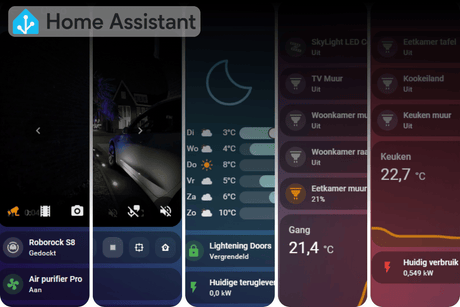
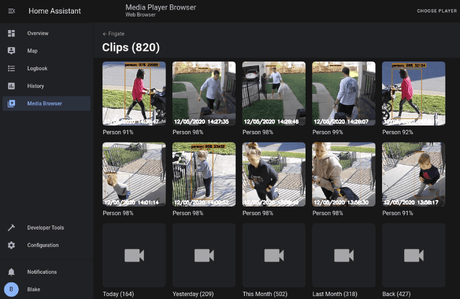
In WiFi mode, the Shelly Flood Gen4 integrates with Home Assistant via the native Shelly integration. Auto-discovery works as soon as the device is on the same network. Everything runs completely locally without a cloud connection. MQTT is also supported.
Pairing procedure:
- Insert batteries; the device starts as an access point (LED blue)
- Set up the home network via the Shelly app or browser at http://192.168.33.1
- Home Assistant automatically detects the device via the Shelly integration
- Available entities after pairing: flood status (wet/dry) and battery percentage
Matter over WiFi
The standard firmware supports Matter over WiFi; a Thread Border Router is not required. Pair via the Matter integration in Home Assistant. Note: Matter requires a one-time cloud setup via the Shelly app upon initial use.
Zigbee mode
Press the button 5 times quickly to switch the firmware from Matter to Zigbee (LED flashes purple to confirm). Then press 3 times quickly to activate Zigbee pairing mode, active for 3 minutes. The device can be paired via ZHA and via Zigbee2MQTT.
As an End Device (battery-powered), the sensor goes into sleep mode between reports. In Zigbee mode, the device will then appear as "unavailable" in Home Assistant – this is normal behavior and not a defect. The sensor reports directly upon water detection, regardless of sleep mode. Use an HA template sensor or a helper to save the last known state for your dashboard.
Cloud status: fully local in WiFi mode and Zigbee mode. Matter requires one-time cloud setup.
Homey
The Shelly Flood Gen4 can be paired with Homey Pro (2023) via Zigbee (after firmware switch) or via WiFi using the official Shelly app in the Homey App Store. Homey Bridge does not support Zigbee; for the Bridge, use WiFi connection only.
Other platforms
- Apple Home: via Matter over WiFi (default firmware)
- Google Home: via Matter over WiFi, supports the Sensor State trait
- Amazon Alexa: via the Shelly skill or via Matter, supports Contact Sensor
- Samsung SmartThings: via Matter or Zigbee (SmartThings hub required for Zigbee), supports Battery and Water Sensor
Automation examples
Example 1 – Immediate push notification upon water leak
- Trigger: flood sensor changes to wet
- Action: send push notification via the Home Assistant Companion App: "Water leak detected – check immediately"
- Optional: simultaneously switch off the smart plug of the washing machine via a connected Shelly device
Example 2 – Automatic device shutdown with night notification
- Trigger: flood sensor changes to wet
- Condition: time between 22:00 and 06:00
- Action 1: switch off the smart plug of the dishwasher or washing machine
- Action 2: send a high-priority push notification and an email notification
- Action 3: set a connected smart lamp to red for a visual warning
Points of attention
- WiFi/Matter and Zigbee are not active simultaneously; switch firmware by pressing the button 5 times
- In Zigbee mode, the device is an End Device and does not extend the Zigbee mesh network
- In Zigbee mode, the device appears as "unavailable" during sleep mode; this is normal behavior
- Matter requires one-time cloud setup via the Shelly app
- The sensor cable is not suitable for submersion
- Metal pipes or conductive surfaces can cause false alarms; use State Hold Time to mitigate this
- Schedules and scripting are not supported
- Shelly Cable Brackets are not included and sold separately
Contents of the box
- Shelly Flood Gen4 (S4SN-0071A)
- Shelly Leak Sensor Cable 2 m (pre-assembled)
- 4x AA battery 1.5 V
- Printed user manual
Compatibility
WiFi (802.11 b/g/n/ax) | Zigbee (802.15.4) | Bluetooth 5 LE | Matter over WiFi | Home Assistant | Homey Pro | Apple Home | Google Home | SmartThings | Amazon Alexa | Shelly app
Specifications
| Model number | S4SN-0071A |
| EAN | 3800238071714 |
| Dimensions (HxWxD) | 97 x 76 x 25 mm |
| Weight (without batteries) | 91 g |
| Weight (with batteries) | 185 g |
| Housing | Plastic, white |
| IP rating | IP44 |
| Power supply | 4x AA 1.5 V (included) |
| Battery life | approx. 2 years |
| WiFi | 802.11 b/g/n/ax, 2401–2483 MHz, max. 20 dBm |
| WiFi range | 30 m indoors / 50 m outdoors |
| Bluetooth | 5 LE, 2402–2480 MHz, max. 20 dBm |
| Bluetooth range | 10 m indoors / 30 m outdoors |
| Zigbee | 802.15.4, 2405–2480 MHz, max. 20 dBm |
| Zigbee range | 100 m indoors / 300 m outdoors |
| Matter | Matter over WiFi |
| Sensor cable | 2 m, expandable up to 150 m |
| Detection modes | Flood Detection, Rain Detection |
| Alarm levels | Intense, Normal, Economic |
| Microcontroller | ESP-Shelly-C68F |
| Flash | 8 MB |
| MQTT | Yes |
| Schedules | No |
| Scripting | No |
| Webhooks | 10 (2 URLs per webhook) |
| Operating temperature | -20°C to 40°C |
| Humidity | 30% to 70% RH |
| Max. altitude | 2000 m |
Frequently Asked Questions
How do I pair the Shelly Flood Gen4 with Home Assistant?
In WiFi mode (default), Home Assistant automatically detects the device via the Shelly integration as soon as it is on the same network. Set up the network via the Shelly app or directly via http://192.168.33.1 after inserting the batteries. For Zigbee, first switch the firmware (5 button presses) and then pair via ZHA or Zigbee2MQTT by pressing 3 times quickly.
Is a hub required?
In WiFi and Matter mode, no additional hub is required; the device communicates directly via the home network. For Zigbee, you need a Zigbee coordinator, such as a Zigbee USB controller in combination with ZHA or Zigbee2MQTT.
Are batteries included?
Yes, 4 AA batteries are included with the Shelly Flood Gen4. The estimated battery life is approximately 2 years, depending on the protocol used, the number of notifications, and the signal strength.
Can I extend the sensor cable?
The included cable is 2 m long and connects via a special port on the side. By connecting multiple Shelly Leak Sensor Cables, the total detection length can be scaled up to 150 m. Shelly Cable Brackets (sold separately) help secure the cable along walls or pipes.
What is the difference between Zigbee and WiFi for this device?
In WiFi mode, the device communicates directly via the home network and auto-discovery is available in Home Assistant. In Zigbee mode, it acts as an End Device via a Zigbee coordinator and goes into sleep mode between reports, appearing as "unavailable" in Home Assistant. Check out the available Zigbee controllers on slimhuisje.nl.
Why does the device appear as "unavailable" in Home Assistant?
This occurs in Zigbee mode. A battery-powered Zigbee sensor sleeps between reports to save energy and then appears as "unavailable" in Home Assistant. This is normal behavior. Upon water detection, the sensor reports immediately. Use an HA template sensor or helper to save the last known state for your dashboard.
How do I prevent false alarms?
False alarms usually occur because the sensor cable is directly on a metal surface, or due to condensation at high humidity. For metal pipes, place a non-conductive layer (tape, plastic) between the cable and the surface. Additionally, set the State Hold Time via the web interface or Shelly app: the sensor will only alarm if the wet condition persists for the set duration (maximum 60 seconds).
Immediately available and connected to Home Assistant in minutes via WiFi or Matter – or switch to Zigbee for maximum local control.
Specifications
Specifications
-
Power supply
EAN: 3800238071714
Payment convenience: pay the way you want