1
of
12
Loading...
MotionBlinds Remote – Control Your Roller Blinds Remotely
Regular price
€19,95
Unit price
Pickup available at Dynamodz
Usually ready in 2-4 days
Shipping information
Shipping information
Orders placed on weekdays before 4:00 PM and in stock will be shipped the same day . In most cases, your order will be delivered the next day. More details can be found in our shipping policy .

MotionBlinds Remote – Control Your Roller Blinds Remotely
Regular priceFrom
€19,95
Unit price

Regular price
€19,95
Unit price
Description
Description
Physical Control for Your Motionblinds Motor Module
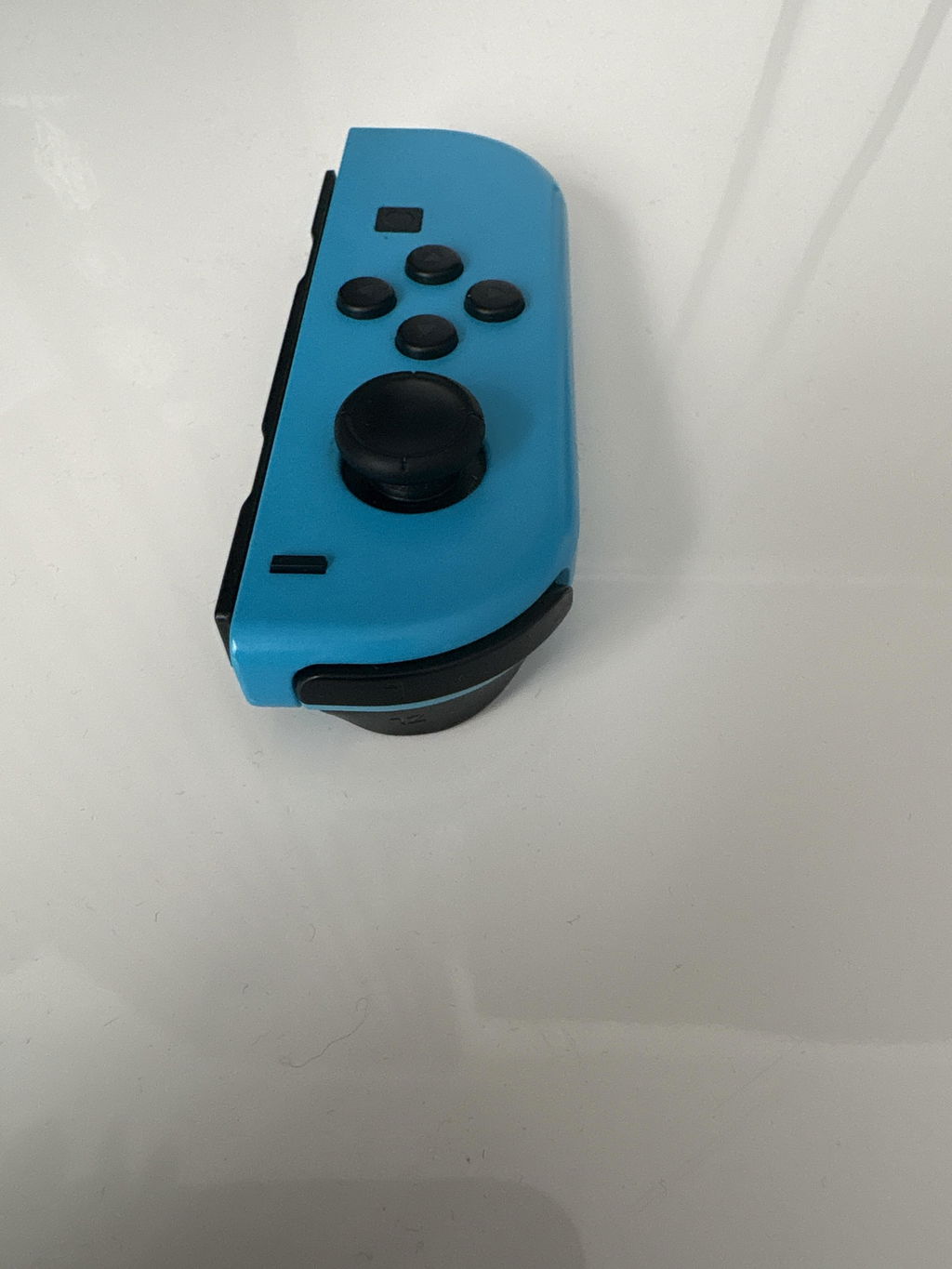
Not everyone wants a smartphone or smart home platform to control a curtain. The MotionBlinds Remote gives you direct, physical control of your Motionblinds motor module, up, down, and stop, exactly when you want it. The remote is available in two versions: the 1 Channel for a single curtain or zone, and the 5 Channel for those who want to control multiple curtains or rooms separately from one control.
Power and Connectivity
The remote communicates via 433 MHz RF directly with Motionblinds motor modules. Compatible with both the 433 MHz motor module (MB001) and the Bluetooth motor module (MB002). Power is supplied by a built-in battery, which is included.
Functionality and Settings
The 1 Channel version controls one motor zone. The 5 Channel version offers five independent channels, allowing you to set up a separate zone per room or per curtain. Pairing with a motor module is easy via the patented pull cord on the motor, without any additional tools or app. Both remotes support up, down, and stop functions.
Expansion and Accessories
The remote functions as an addition to or in place of app control. If you also want to control via smartphone, Home Assistant, or Homey, the MotionBlinds WiFi Bridge is the right addition. For Matter control, the MotionBlinds Matter Bridge CM-55 is available, coming soon to slimhuisje.nl.
Home Assistant
The remote itself has no direct integration with Home Assistant. The associated motor module can be integrated: the MB001 via the official Motionblinds integration with WiFi Bridge, the MB002 directly via the Motionblinds BLE integration. The remote and Home Assistant work alongside each other: both control the same motor without conflicts.
Homey
The remote has no direct Homey integration. The paired motor module can be integrated via the official Motionblinds app for Homey.
Automation Examples
Remote as Fallback alongside Home Assistant
- Home Assistant automatically controls the curtains based on schedules.
- The remote hangs by the sofa as a physical fallback for guests or in case of a power outage on the bridge.
- Both systems control the same motor without conflicts.
5 Channel for Multiple Bedrooms
- Channel 1: curtain bedroom 1.
- Channel 2: curtain bedroom 2.
- Channel 3: curtain living room.
- All three controllable via one remote, each independently up or down.
Points of Attention
- The remote has no Wi-Fi, Bluetooth, or app pairing.
- Pairing with the motor is done via the patented pull cord on the motor module.
- For control via app or Home Assistant, the motor module itself is required, not the remote.
Box Contents
- MotionBlinds Remote (1 Channel or 5 Channel, depending on the chosen variant)
- Battery
- Quick Start Guide
Compatibility
Works with: MotionBlinds 433 MHz motor module (MB001) · MotionBlinds Bluetooth motor module (MB002).
Specifications
| Variant | 1 Channel / 5 Channel |
| Article number 1 Channel | MB003 |
| EAN 1 Channel | 8718078089361 |
| Article number 5 Channel | MB004 |
| EAN 5 Channel | 8718575077328 |
| Protocol | 433 MHz RF |
| Compatible with | MotionBlinds motor modules MB001 and MB002 |
| Power supply | Battery (included) |
| Warranty | 2 years |
Frequently Asked Questions
What is the difference between the 1 Channel and 5 Channel remote?
The 1 Channel version controls one motor zone, ideal for one curtain or one room. The 5 Channel version offers five independent channels, allowing you to control multiple curtains or rooms separately from one remote.
Does this remote also work with the Bluetooth motor module (MB002)?
Yes. The remote communicates via 433 MHz RF and is compatible with both the 433 MHz motor module (MB001) and the Bluetooth motor module (MB002).
Do I need a bridge or app to use the remote?
No. The remote communicates directly via 433 MHz RF with the motor module, without a bridge, app, or internet connection. Pairing is done via the patented pull cord on the motor module.
Can I use the remote alongside Home Assistant?
Yes. The remote and Home Assistant control the same motor without conflicts. The MB001 is paired via the Motionblinds integration with WiFi Bridge; the MB002 directly via the BLE integration.
Are batteries included?
Yes, the remote comes with a battery included.
Can I pair multiple remotes to one motor?
Yes, multiple remotes can be paired to the same motor module. Refer to the included manual for the pairing procedure via the patented pull cord.
✅ slimhuisje.nl supplies both variants directly from stock. Do you doubt between 1 or 5 Channel? Our customer service will help you make the right choice.
Specifications
Specifications
-
Power supply
EAN: 8718078089361
Payment convenience: pay the way you want